Vanilla Timeline (Vantl)

Vanilla Timeline is a zero-dependency Javascript library to create beautiful, responsive horizontal and vertical timelines. It was started in 2025 after looking for a free and easy-to-use Javascript timeline library on NPM. I couldn't find what I wanted. Then, I searched Github but, the only thing that I could find was an app that hadn't been updated in 8 years. I tried it but, it didn't do all the things that I wanted my timeline(s) to do. So, I forked the old app and started customizing it. After a few weeks, the end-result was Vanilla Timline (Vantl).
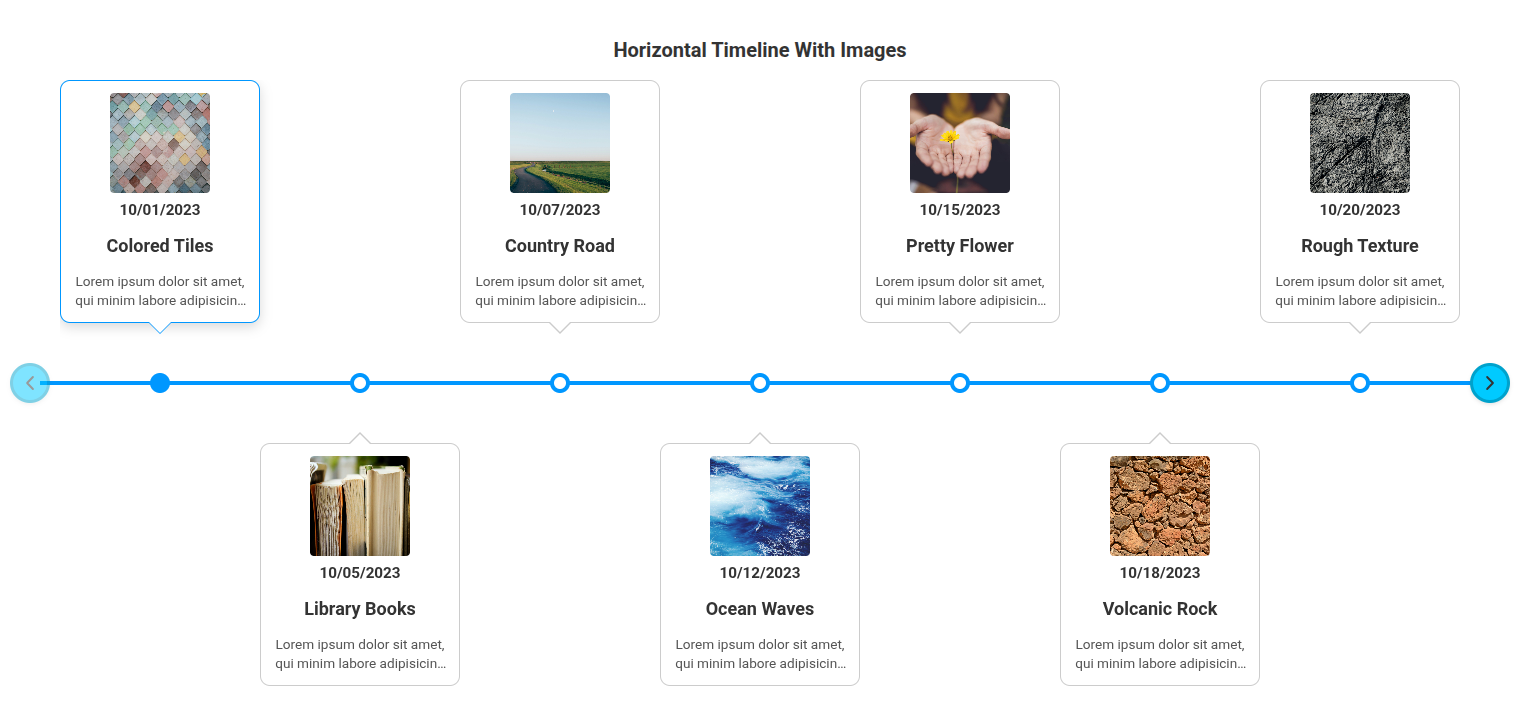
It makes generating timelines for your website very easy. You add links to the Vantl library and styles in your page from a CDN like jsDelivr. Then, you add timeline content in HTML or JSON format. It instantly generates a nicely-formatted timeline in horizontal or vertical orientation. The generated timeline is also responsive and changes based on the screen size it's being viewed on. You can change the colors and styles of the timeline elements. It's also very flexible regarding to how you add data to the timeline. You can use a few basic text-based HTML nodes or you can use complex, advanced layout with large amounts of text, links, styling, images and video. Vanilla Timeline (Vantl) doesn't restrict you.
One easy way to create timelines is to store your data is in JSON files. This way you can easily back up your timelines or even generate them programatically from data in a database. You add a simple node and link to your JSON data like this:
<div class="timeline" data-json-config="/path/to/timeline.json">
    <div class="timeline__wrap">
        <div class="timeline__items"></div>
    </div>
</div>
Vanilla Timeline (Vantl) also supports 3rd party libraries like SwiperJS which makes your horizontal timelines interactive for people using touch screen devices. This means that instead of clicking buttons, viewers can swipe the touch screen left or rights with their finger to move forward or backwards on your timeline.
Even though Vanilla Timeline (Vantl) supports 3rd party libraries, it doesn't have any dependencies. It's written in plain vanilla javascript and is entirely self-contained. You can either download and use the library locally, or you can link to an external CDN.
Check out Vanilla Timeline (Vantl)
- Demo site: https://kendawson.online/vantl/demo/
- Github repository: https://github.com/kendawson-online/vantl
- NPM page: https://www.npmjs.com/package/@kendawson-online/vantl
FreeTV
FreeTV started in 2024 as a simple vanilla Javascript app to play videos hosted on the Internet Archive. It has since evolved into an open-source platform for curating, publishing, browsing, and watching hand-picked television shows and movies. The project includes a web-based Viewer (front-end) for watching content and a graphical Admin Dashboard (back-end) for organizing and publishing it.
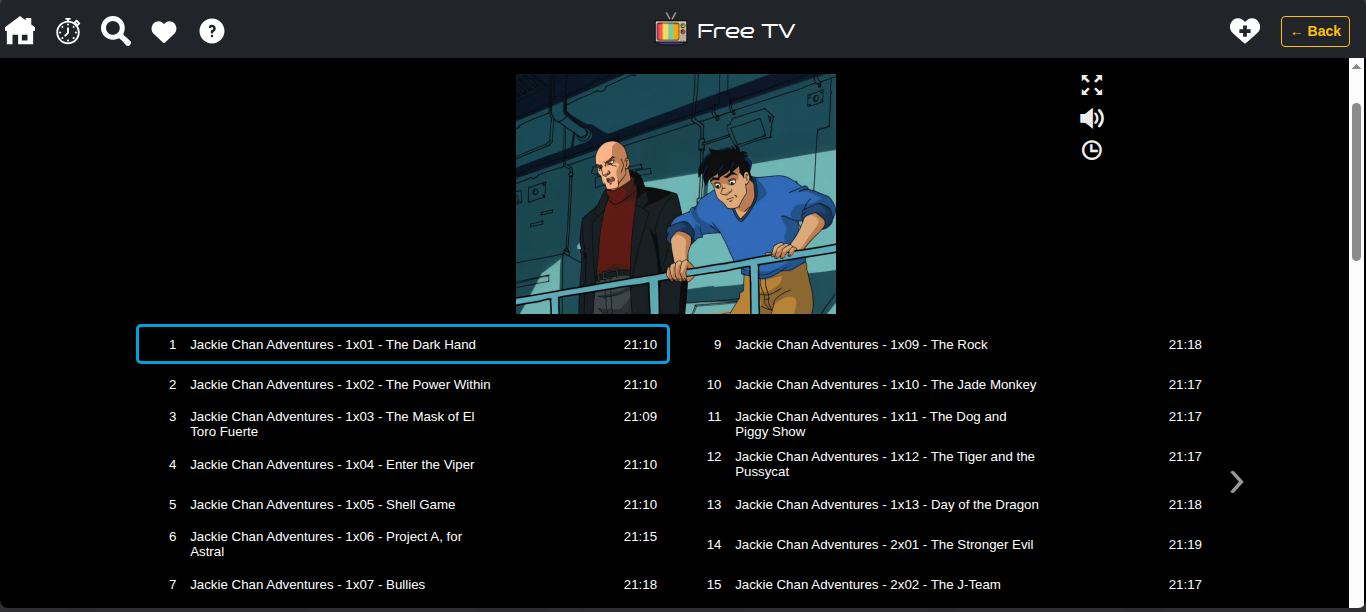
The most obvious question that I get is: "Can't I just watch these videos on the Internet Archive site?" The answer is, of course, yes! The Internet Archive has a customized version of JW Player that works great for watching videos.The problem is that the Internet Archive hosts over 17+ million video files. Their entire catalog is over 200+ Petabytes in size! Petabytes. That's 200+ million gigabytes.
The hardest part of watching video on the Internet Archive is finding it. They host everything from high-quality DVD rips shared by the the studios to homemade camcorder stuff from individuals. They have small preview clips and entire collections. They have content in all languages. You could spend hours searching and previewing clips to find high-quality content to watch.
This is where FreeTV comes in. We sift through the vast collection of content on the Internet Archive and organize it into playlists and categories. We skip the poor-quality copies, the 20 second clips, and the Russian-language versions. Most of the titles in FreeTV are complete collections which include all episodes of a show. There are also full-length movies available to watch on FreeTV. The files are also available for download directly from the Internet Archive.
FreeTV evolved from plain vanilla Javascript in version 1.0 to a Preact user interface with PHP API in version 2.0. Version 3.0 was a complete refactor of the back-end Admin Dashboard. It went from reading/writing JSON files to using a MariaDB. Version 3 also introduced a new publishing pipeline and tooling to orchestrate the various repositories of code. The front-end Viewer is currently being refactored to be smaller, lighter, and faster with a new custom video player which uses HTML5 video.
The future of FreeTV is moving it from a personal project that I host and maintain to an app that anyone can host on their own server with a customized Viewer of their own.This will allow people to curate their own collection(s) of videos from the Internet Archive and provide their audience with a customized viewer experience.
Check Out FreeTV:
- Watch online for free: https://freetv.today
- Github project: https://github.com/freetv-today
Aserve (Apache Serve)
Aserve (Apache serve) provides an easy way for developers to "point-and-serve" a folder on Linux without having to copy files to /var/www/html, set up Apache vhosts, create symbolic links, or modify permissions. Technically, it's a bash shell script that temporarily bind-mounts a local folder into Apache's document root (/var/www/html), adds minimal ACLs so Apache's www-data user can read/traverse the files, reloads Apache, and cleans everything up when you stop it.
⚠️ Aserve is a dev tool and isn't intended for long-term file serving or production use! ⚠️
Here's basically what Aserve is doing:
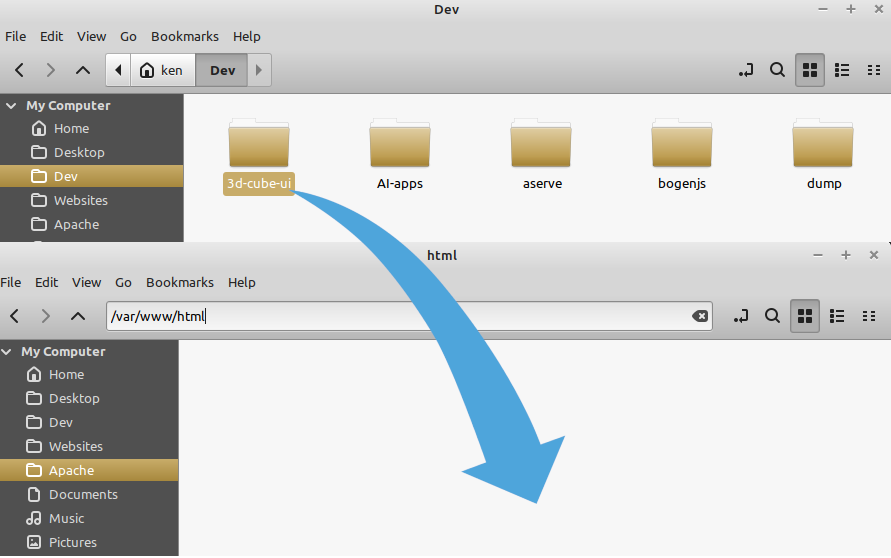
Say you have a folder at: /home/ken/Dev/3d-cube-ui which contains a web site and, you also have an Apache web server installed at: /var/www/html.
You want to be able to open your Dev site quickly, and see it being served via a real web server. You could copy all the files to /var/www/html and open in your browser. But, then you have to clean up and remove the files later. You could set up a symbolic link in the Apache directory. But, you'd have to make sure to get the group ownership and file permissions set correctly otherwise, your site's not going to work properly.
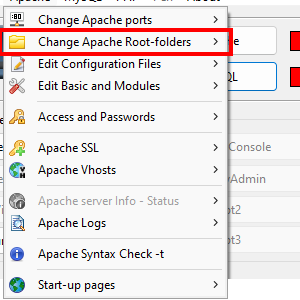
After playing around with Uniform Server and XAMPP (and other WAMP tools) on Windows, I got spoiled by the ability to quickly start up a server, point it to a web site, and view sites quickly. (Check out the screenshot from Uniform Server). I suppose I could just use /var/www/html as my developer directory? But I prefer to store my developer files elsewhere. So, I started looking for an easy way to point a folder to an Apache web server on Linux with messing around with permissions, symlinks, or trying to diff multiple copies of files. Something easy like they had on WAMP server tools on Windows. But, I couldn't really find anything. Most people just said "set up vhosts" or "use symlinks". This was the impetus for creating Aserve.
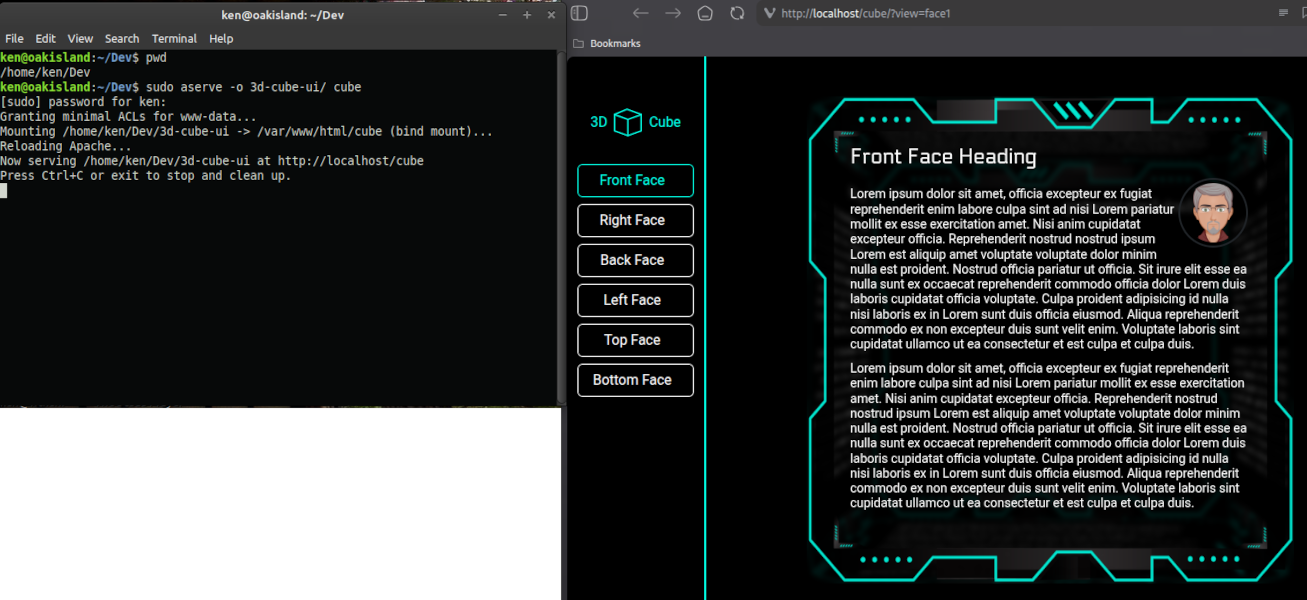
Now, I just go to the console and type: "sudo aserve -o 3d-cube-ui/ cube" and my browser opens http://localhost/cube and shows my site.
The "-o" switch tells Aserve to open the default browser. By typing "cube" I give the site a new alias for Apache (instead of using "3d-cube-ui"). It looks like this: (click for larger image)
When I am done browsing my site, I close the browser window and type "Ctrl+C" in the terminal. This stops Aserve and cleans everything up automatically. Aserve was developed and tested on Linux Mint but, should work on most Debian/Ubuntu Linux derivatives. Be sure to read the prerequisites.
About:
Categories: